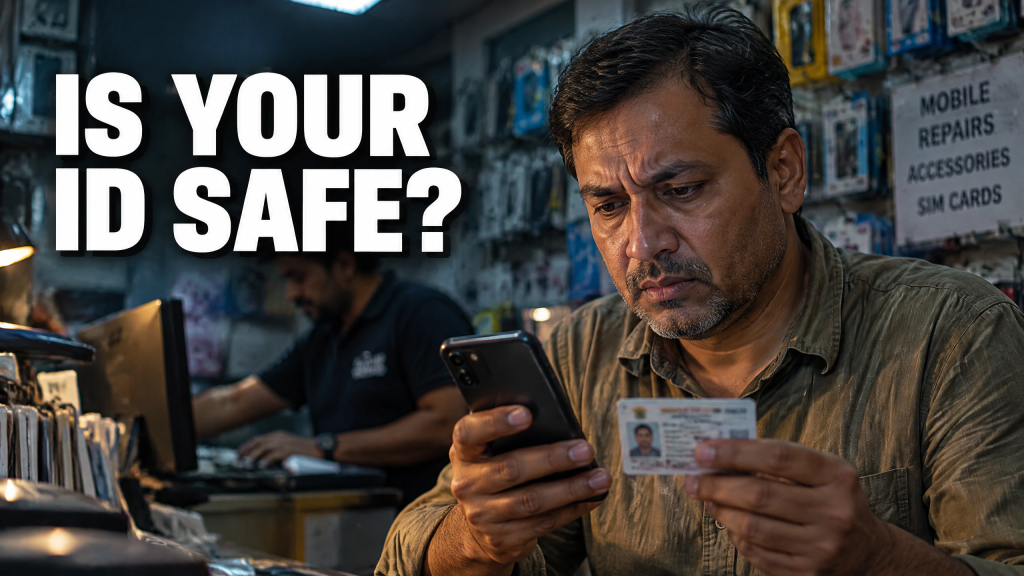
A security warning appears on your iPhone. It says someone tried to access your Apple account or asks you to change your password. Then the phone rings. The caller says they’re from Support. They know about the warning. Calm and informed, they sound ready to fix the problem before you lose control of your account. That timing feels reassuring. It shouldn’t.
The Pop-Up on Your Apple Device
You first receive an unexpected pop-up on your Apple device. It may claim someone tried to access the account or say your password needs to be changed.
An unsolicited call follows from someone posing as a technical-support representative. The number often carries a +1 country code, which is shared by Canada, the United States and other countries in the North American Numbering Plan. A +1 number proves nothing. Caller ID can be spoofed, and a familiar country code doesn’t confirm where the person is calling from.
The fraudster claims the Apple or email account has been compromised. Then you are directed to a website designed to resemble “Support” and asked for sensitive information. That may include your password, cryptocurrency login credentials and one-time security codes.
Armed with those details, the criminal can access a crypto account or linked wallet and move the assets. You may not realize what happened until you notice an unauthorized transfer.
Why the Sequence Works
Fake support scams aren’t new. Neither are security pop-ups. What makes this version dangerous is the way the pieces reinforce each other.
The pop-up creates fear. The call appears to confirm the problem. A convincing website gives the story a polished destination. Each step makes the next one feel reasonable.
You aren’t simply reacting to a stranger on the phone. You’re reacting to what appears to be evidence on their own device.
Crypto raises the stakes. Transfers can happen quickly, and recovery can be difficult. A criminal who captures login credentials and a current one-time code may need only a short window to move the funds.
Apple’s Rule Is Clear
The company warns that scammers use misleading pop-ups, fake support calls and fraudulent messages to steal personal information. The company says it won’t ask for your account password, device passcode or two-factor authentication code to provide support. It also won’t tell you to enter those secrets into a website.
If an unexpected Apple warning appears, ignore the number displayed in the pop-up. Don’t follow its link. Close it.
Open Settings on the device and review your Apple account. When someone claiming to be Apple calls unexpectedly, hang up. Don’t continue simply because the person on the other end knows about the warning. That warning may be part of the setup.
Protect the Crypto Account Separately
Here’s what you can do:
- Open your cryptocurrency provider’s official app yourself.
- Review recent activity, active sessions, security settings and withdrawal details.
- Don’t use a link supplied by the caller.
- Never read a one-time code aloud. A security code authorizes access; it isn’t a harmless way to confirm your identity to support staff.
- Don’t paste it into a page opened through an unexpected alert.
If you’ve already shared credentials, act now. Contact the crypto provider through its official channel and report the possible account compromise. Change your account password from a trusted device, review your trusted devices and make sure two-factor authentication remains enabled.
Save screenshots, phone numbers, website addresses and transaction records. Report the incident to local police and the Canadian Anti-Fraud Centre.
The warning isn’t proof that Apple found a problem. The call isn’t proof that help arrived. When both happen together, stop and verify each one through a channel the scammer doesn’t control. Real support can wait while you check. Stolen cryptocurrency won’t.
Consult With Us
The businesses that benefit most are the ones that take the time to get their systems right first. Schedule a performance review on how to defend against a hacker at www.CybersecurityMadeEasy.com to assess your readiness and strengthen your operational foundation before you start building on top of it.
Stay informed, protected, and one step ahead of fraudsters with Fraudster, the ultimate mobile app. Download now and receive real-time push notifications, stay updated on the latest frauds and scams, and gain valuable tips on safeguarding yourself. Available for iOS and Android, Fraudster is your trusted ally in the fight against fraud. Don’t wait! Visit http://www.FraudsterApp.com to learn more about our mission and start securing your digital world for free.